
DIY your enclosure in Fusion 360 vs. hiring it out — the real cost breakdown
Jerome Privott · · 8 min read
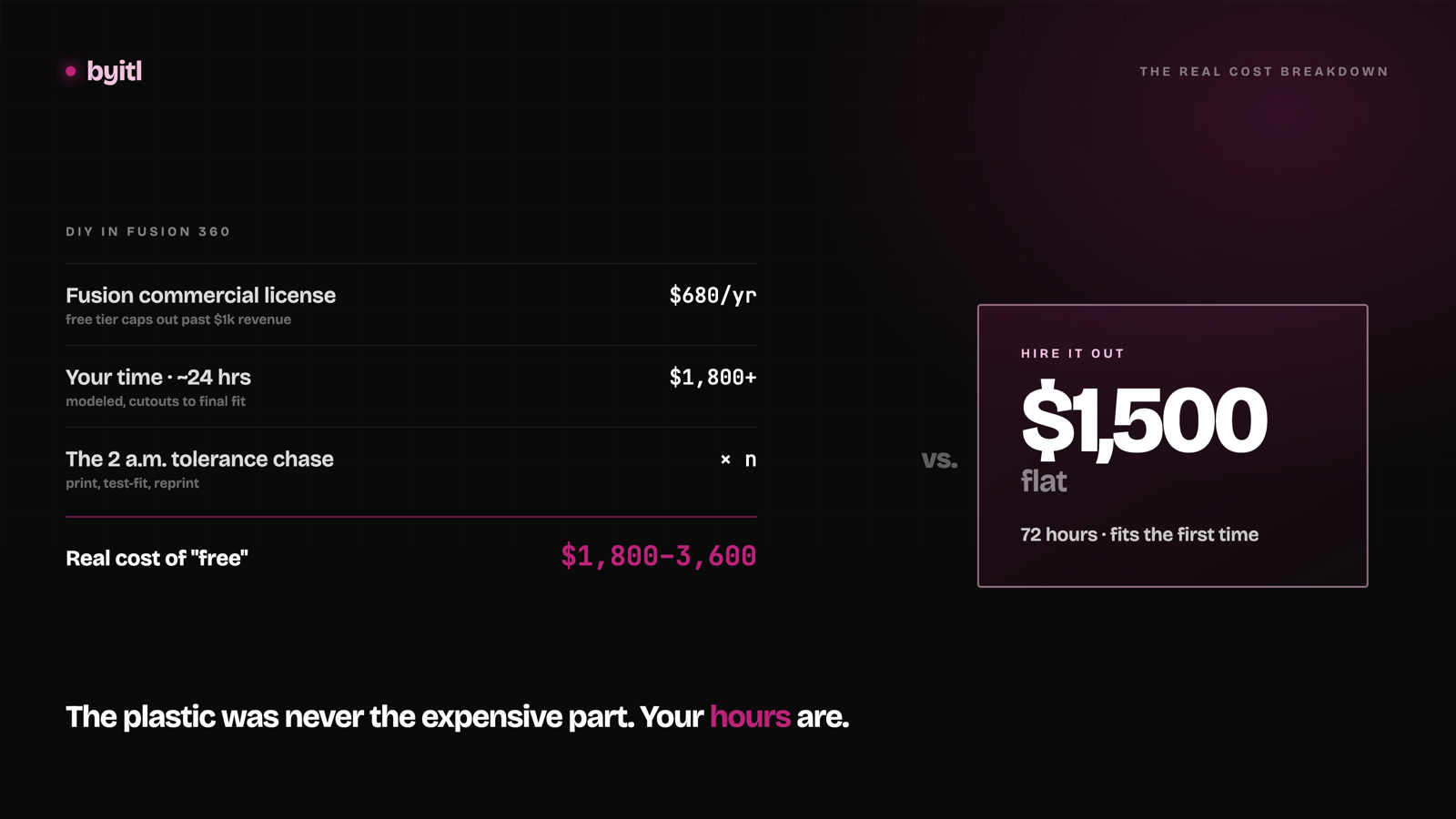
We charge $1,500 for a print-ready prototype enclosure. The first question every hardware founder asks is the obvious one: why wouldn't I just do this myself in Fusion 360?
Sometimes you should. This post is the honest version of that math — including the cases where DIY wins outright and you should close this tab and go model it.
The DIY path is real, and for some people it's correct
Fusion 360 is a genuinely good parametric CAD package. It runs on a laptop, it has a free tier, and there are thousands of hours of tutorials for it. A first enclosure is not a mystery — it's a box with holes in it, and you can learn to make a box with holes in it.
If you're building one device for yourself, you have a printer on your desk, and nobody is waiting on you — DIY. Every time. You'll learn something durable and you'll spend zero dollars. We are not going to pretend otherwise to sell you a service.
The line isn't "can you do it." The line is what the iteration loop costs you when the first print doesn't fit — and it usually doesn't.
Check the license before you plan around "free"
This is the part most founders skip, and it's the one with actual legal teeth.
Fusion's personal-use tier is not a free tier for small companies. It's a non-commercial tier. Autodesk's stated terms are explicit: personal use is "for personal, non-commercial projects only," limited to individuals generating less than $1,000 USD annually, and "not for use in primary employment, company environments, or commercial training." Autodesk goes further — users "generating more than $1,000 in annual revenue or using Autodesk Fusion for commercial projects must stop using Autodesk Fusion for personal use and convert to a subscription."
Read that "or" carefully. The commercial-project test is separate from the revenue test. You can be nowhere near $1,000 in revenue and still sit outside the personal-use terms, because the project itself is commercial.
The feature limits are real too, and they bite on exactly this kind of work. Autodesk's own comparison lists personal use as having limited electronics and PCB design, limited 2D documentation and drawings, limited CAM, single-user data management, limited import/export file types, and forum-only support. Personal use also caps you at 10 active documents at a time — unlimited designs stored, but only ten editable at once, swapped in and out as you go. (STEP export, which Autodesk once announced it would strip from personal use, was kept after hobbyist pushback.)
So what does commercial actually cost? Autodesk lists Fusion at $680/year, or about $85/month, with a three-year option at $2,040. Those are list prices and Autodesk discounts them periodically, so check Autodesk's current pricing before you budget rather than trusting this paragraph — they change it often.
One thing worth knowing before you assume $680 is your number: Autodesk runs a Startup Program. Qualifying early-stage companies get full commercial Fusion for roughly $150 per user for a three-year term, up to 10 users. If you qualify, your license cost is closer to $50/year than $680/year — and that shifts the math below toward DIY. It's an application-and-verification process rather than a checkbox, but it's worth ten minutes before you write off DIY on license cost.
So the honest DIY baseline isn't free — though for a startup that qualifies, it's close. Either way the license is the small number. Your hours are the big one.
Where the hours actually go
Not modeling. Modeling a box is an afternoon.
The hours go into the three things that make an enclosure an enclosure rather than a box:
Connector alignment. Your USB-C port sits at some height above the board, at some offset from the edge, with some plug-body clearance the datasheet doesn't give you. Get it wrong by a fraction of a millimeter and the cable won't seat. You find this out after the print.
Tolerance stack. Desktop FDM runs about ± 0.5% relative accuracy, with an absolute floor of ± 0.5 mm — and on parts under ~100 mm, which is most enclosure features, the floor is what governs; industrial machines get to ± 0.15% / ± 0.2 mm. Thermoplastic shrinkage adds another 0.2–1% depending on material. Those numbers stack across board mounts, standoffs, wall thickness, and lid fit. A nominal-dimension model prints as a part that binds — or rattles.
Mounting and clearance verification. Standoffs that miss the board's mounting holes. A lid that fouls the antenna keepout. A boss that lands on a tall electrolytic. These are all findable before you print — but only if you know to look, and only if you have the board geometry in CAD rather than eyeballing it from a photo.
Each of these fails the same way: you print, you learn, you revise, you print again. That's a multi-hour cycle per iteration, and printing is the cheap part.
The cost model, stated as a model
Everything in this section is reasoning, not measurement. No survey, no customer timesheets, no benchmark — just stated assumptions worked through to a number. We obviously have an interest in that number looking large, so treat it as a shape to argue with and substitute your own figures.
Assume a founder who knows Fusion reasonably well, on a board class they've never enclosed. Call it three print-revise cycles before it fits, which is not pessimistic for a first enclosure with connectors on two faces.
| Line item | Assumed hours | At $75/hr | At $150/hr |
|---|---|---|---|
| Learning curve / re-learning the tool | 4 | $300 | $600 |
| Board geometry into CAD, real dimensions | 3 | $225 | $450 |
| Model the enclosure | 6 | $450 | $900 |
| 3 print-revise cycles | 9 | $675 | $1,350 |
| Renders, BOM, export cleanup | 2 | $150 | $300 |
| Total | 24 | $1,800 | $3,600 |
Every hour figure above is an assumption we chose, and both rates are placeholders. If your cycles run shorter, the total collapses fast.
Add the license if you're commercial — $680/year at list, or roughly $50/year if you qualify for the Startup Program. Subtract all of it if you enjoy this work; a lot of founders do, and enjoyment is a real line item that doesn't show up in the table.
If your hourly is low or your calendar is empty, DIY wins. If you're the only person who can talk to your firmware, your investors, or your first customer, 24 hours is expensive in a way the table understates.
The comparison, straight
| DIY in Fusion 360 | byitl | |
|---|---|---|
| Cash cost | $0 personal (non-commercial only) · $680/yr commercial list · ~$150/3 yr if startup-eligible | $1,500 flat |
| Your hours | ~24 (assumed — see the model above) | ~1 — send files, review once |
| Calendar time | However long your cycles take | 72 hours |
| Deliverables | Whatever you export | STL, editable STEP, 3 renders, BOM CSV, mounting + cutout verification |
| Revisions | Unlimited, on your time | One included, +$300 each after |
| Downside risk | Prints that don't fit | Refunded in full if we miss 72 hours |
| Skill retained | Yours permanently | None — you bought an outcome |
| Production path | You figure it out | DFM handoff +$1,000 |
That second-to-last line is not a throwaway. DIY builds a capability; hiring buys a deliverable. If enclosures are going to be a recurring part of your product work, the 24 hours is tuition, not waste. That's a legitimate reason to do it yourself even when the arithmetic says otherwise.
Why 72 hours is possible at all
Fair question, since the model above puts a founder at 24 hours.
We don't start from a blank canvas. Work is built on a parametric template library per board class — ESP32 (including S3 and C6), RP2040, RP2350, and STM32 (F0/F4/L4/H7), with nRF52 and ESP8266 taken case-by-case. The connector heights, the standoff patterns, the clearance rules, the tolerance compensation — those are solved once per board class and reused, not rediscovered per project.
That's the whole trick. It isn't that we model faster than you. It's that the third print-revise cycle already happened, on someone else's project, and the fix is baked into the template.
It's also why the board class list is short and specific. Hand us something outside it and the template advantage disappears, which is why we say case-by-case instead of yes.
Where we're not the answer
- You want to learn CAD. Then learn CAD. Paying us actively prevents the thing you want.
- One-off personal project, no deadline. The math never gets there. Use the free tier.
- You need parts in hand. We're design-only — we don't print or ship. You'll need a printer or a print service either way.
- You need production tooling. v1 is a fit-and-function prototype. Injection-mold DFM is a separate +$1,000 handoff, and if you need certified suppliers and multi-rev compliance work, that's a full product-development consultancy engagement — a different order of magnitude in both money and months. Not us.
The actual line
DIY if the hours are cheap, the deadline is soft, or the learning is the point.
Hire it out if you're commercially licensed anyway, the 24 hours are coming out of something that matters more, and you need it to fit on the first print instead of the fourth.
Most founders asking the question already know which side they're on. They're asking because $1,500 feels like a lot for a box. It is a lot for a box — it's a fair price for the three revision cycles you didn't run.
If that's where you've landed: byitl turns a PCB into a print-ready enclosure in 72 hours for $1,500 flat, refunded in full if we miss the deadline. Board files in, STL and STEP out. If your board isn't on the list, say so up front and we'll tell you honestly whether it's a fit.
Related
Designing Antenna-Friendly Enclosures for ESP32-S3: RF Clearance, Wall Thickness, and Material Loss
Placing an ESP32-S3 PCB inside a 3D-printed enclosure can degrade Wi-Fi and BLE signal strength by 3 dB to over 15 dB if you ignore ground plane clearance, dielectric loading, and filament selection. Here is the mechanical guide to preserving RF performance.
· 5 min read
What a 3D-printed prototype enclosure actually costs in 2026
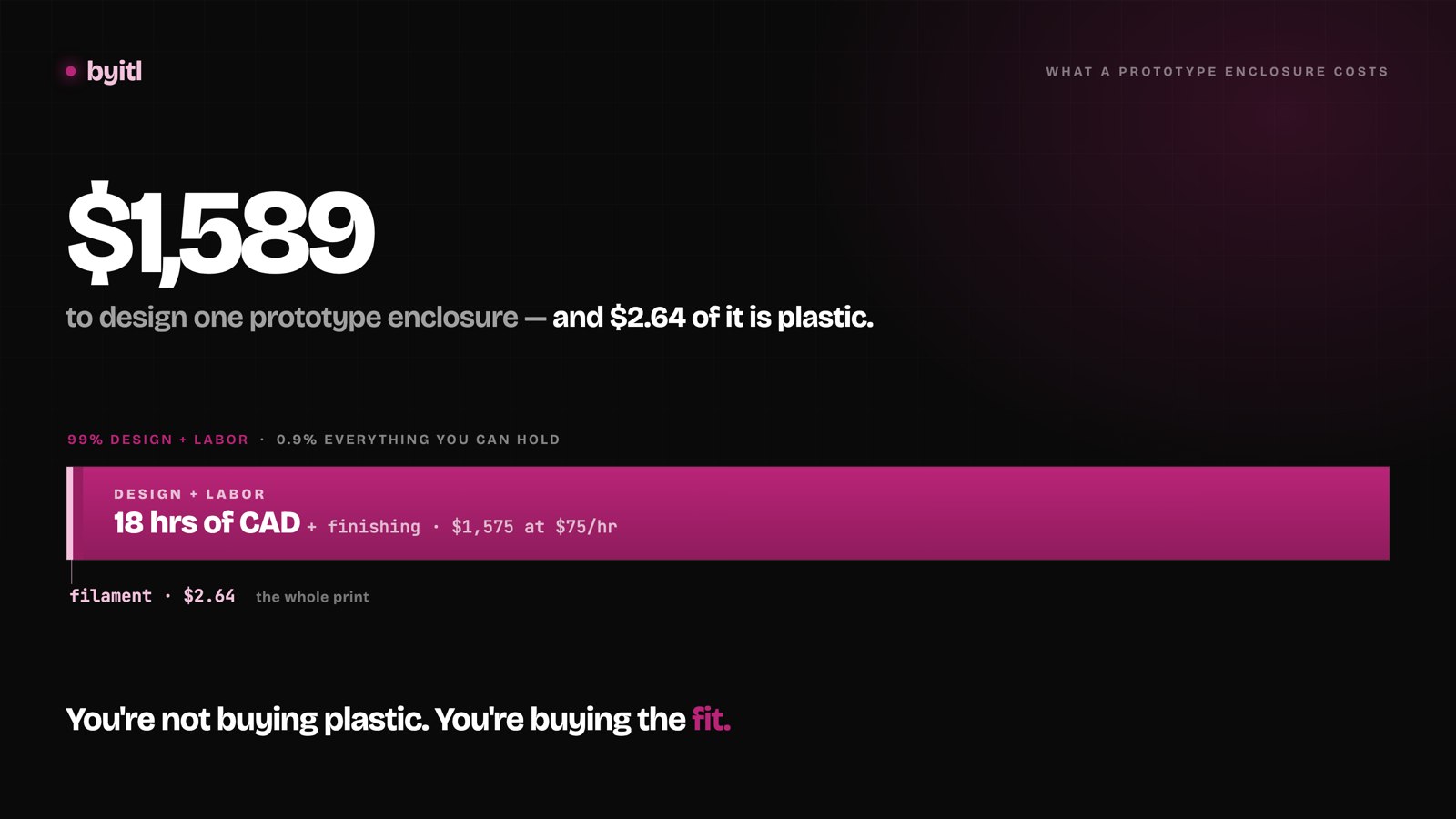
Filament is under half a percent of the bill. Here's the itemized total for a palm-sized ESP32 enclosure, design time included.
· 11 min read
From 3D-printed enclosure to injection molding: when to switch
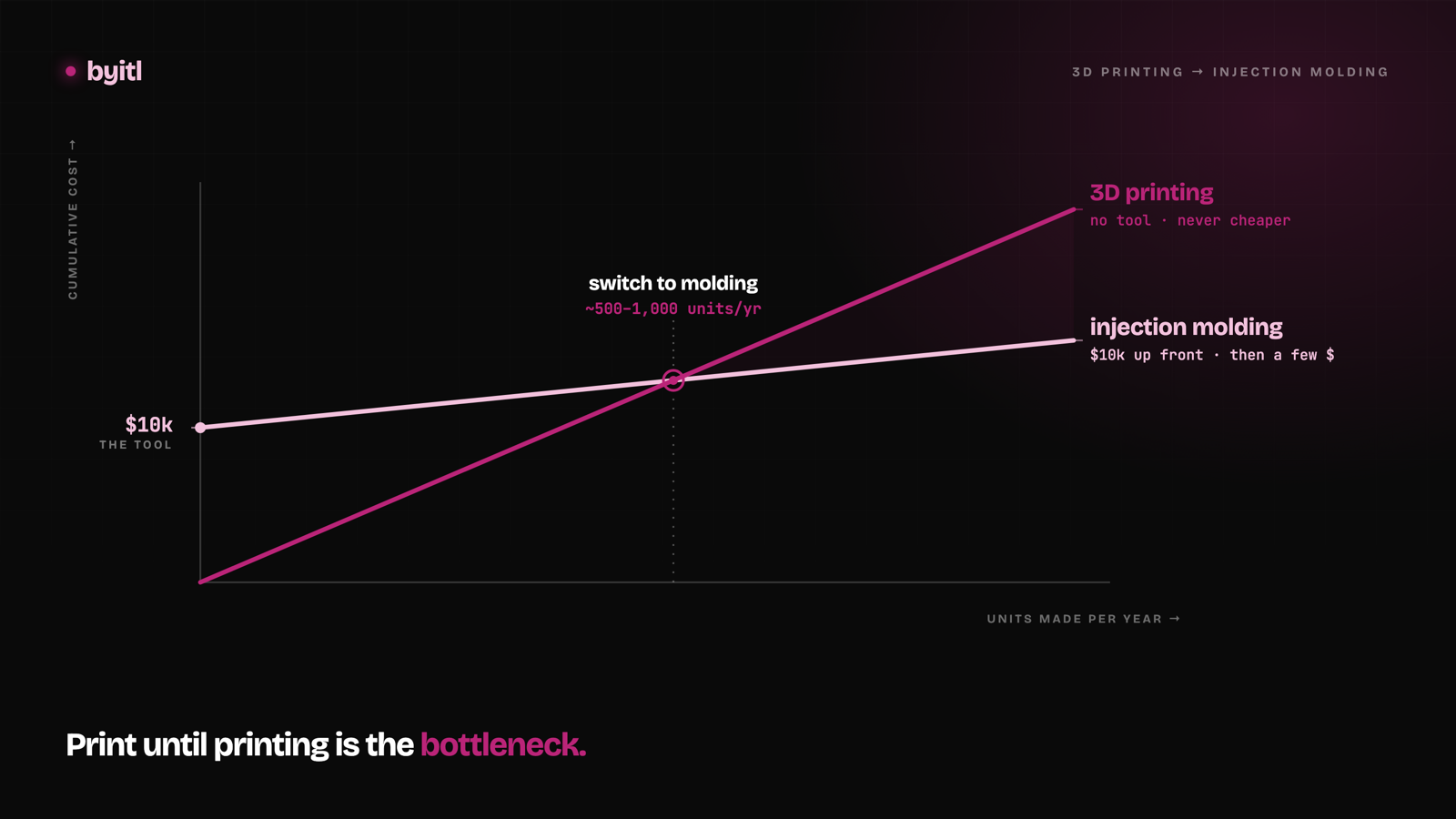
A single-cavity prototype steel tool for a palm-sized enclosure runs about $10k — we've had our own parts quoted. Here's the break-even math on when it pays.
· 10 min read